
Reusable inputs with real context
Prompt Variable building blocks
Reusable inputs that can hold choices, conditional branches, or one or many connected Circles for any prompt.
What you can do
Store text, sliders, dropdowns, or conditional Switch choices.
Connect one or many notes, files, media items, tasks, links, or locations.
Import a variable into any prompt with one click.
Resync an imported variable when its reusable source changes.
Define the input once.
Reuse it across prompts.
Keep recurring instructions, choices, and source material consistent without rebuilding them inside every prompt.
What reusable variables give you
Keep a frequently reused instruction or source in one place.
Use text, sliders, selects, or conditional Switch choices.
Connect one Circle or an ordered working set of several Circles.
Limit connected choices to the content types that fit the job.
Import the variable into a prompt and resync it when the source changes.
A practical example
A campaign prompt can reuse one Brand Voice variable, let someone choose a channel with a Switch, and connect several approved product and evidence Circles. The prompt stays readable while the source material remains reusable on its own.
When the approved source changes, resync the imported variable rather than hunting through every prompt that uses it.
What can you put in variables?
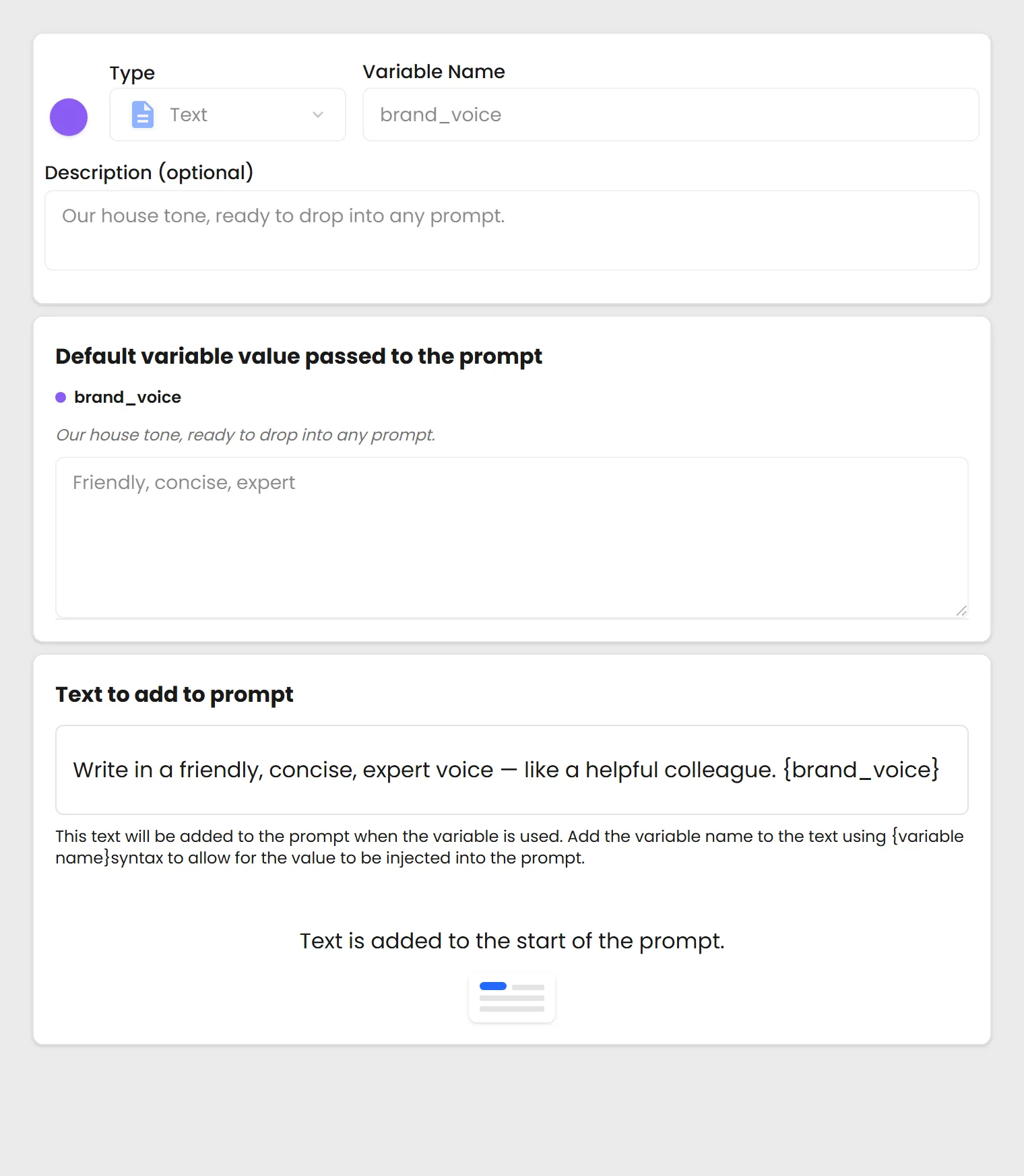
Text
Slider
Select
Switch
Connect
Text
Dump in any text you want to change in the prompt. This is the most common variable type.

Create a variable once, import it into any prompt, and resync it when the reusable source changes.
See it live
It works with everything else you make.
Search it, place it on a Page, return to an earlier saved version, or select it as context for AI. Public items can also be shared or embedded. Learn this system once and every type works the same way.
See everything you can make